

Accurate transcription
Understands German and English, even mixed within the same meeting, section by section. Technical terms and names can be edited right in the transcript.
Jexity Meet records your meetings and produces a transcript, speaker separation and finished minutes. By default, all of it runs on your machine. No cloud upload, no bot in the meeting, no minute limits. Built for German SMEs, for Windows and macOS.
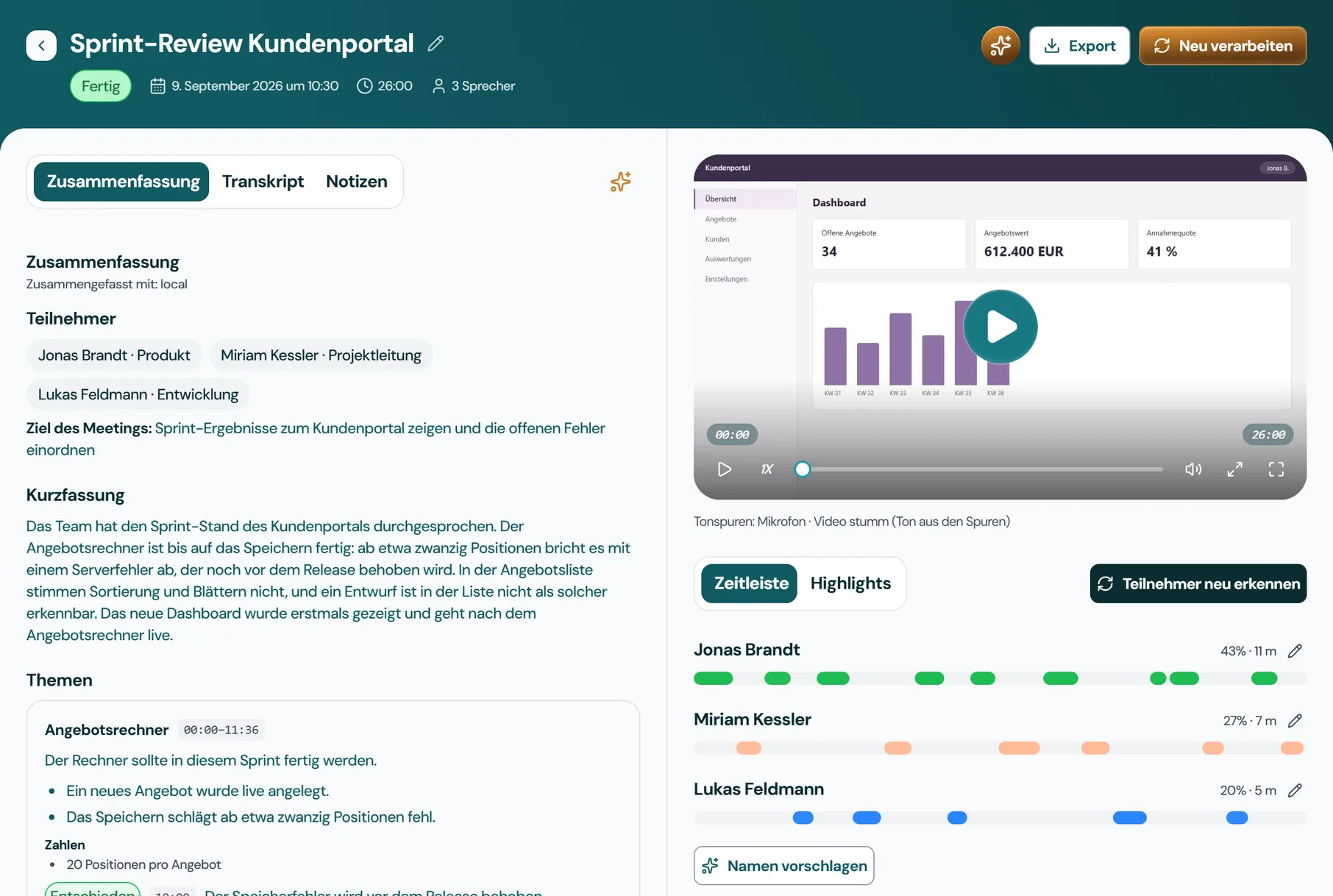
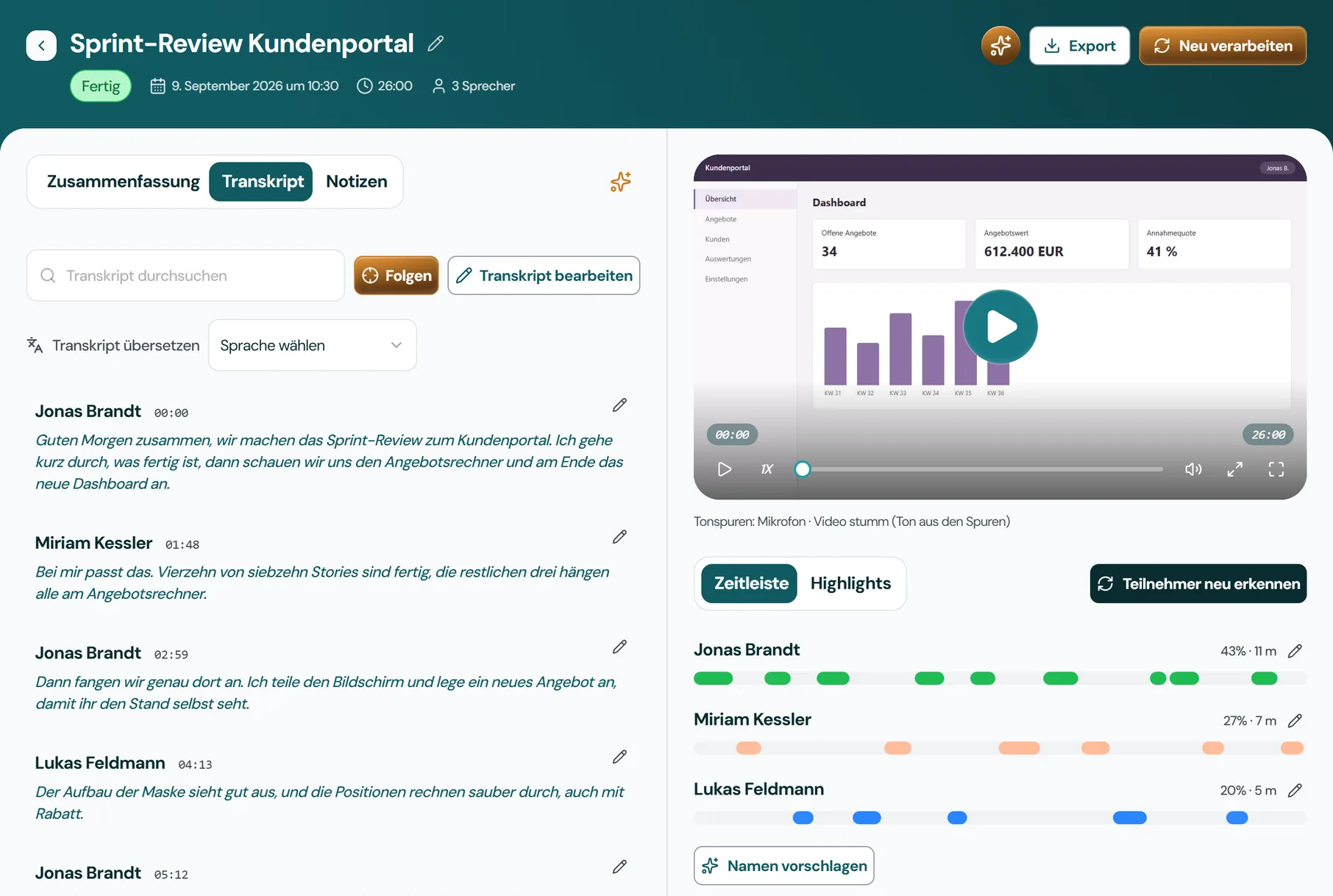
Goal of the meeting: Show the sprint results for the customer portal and rank the open defects
The team walked through the sprint status of the customer portal. The quote calculator is finished apart from saving: from about twenty line items on it aborts with a server error, which will be fixed before the release. In the quote list, sorting and paging are wrong, and a draft cannot be told apart from a sent quote. The new dashboard was shown for the first time and goes live after the quote calculator.
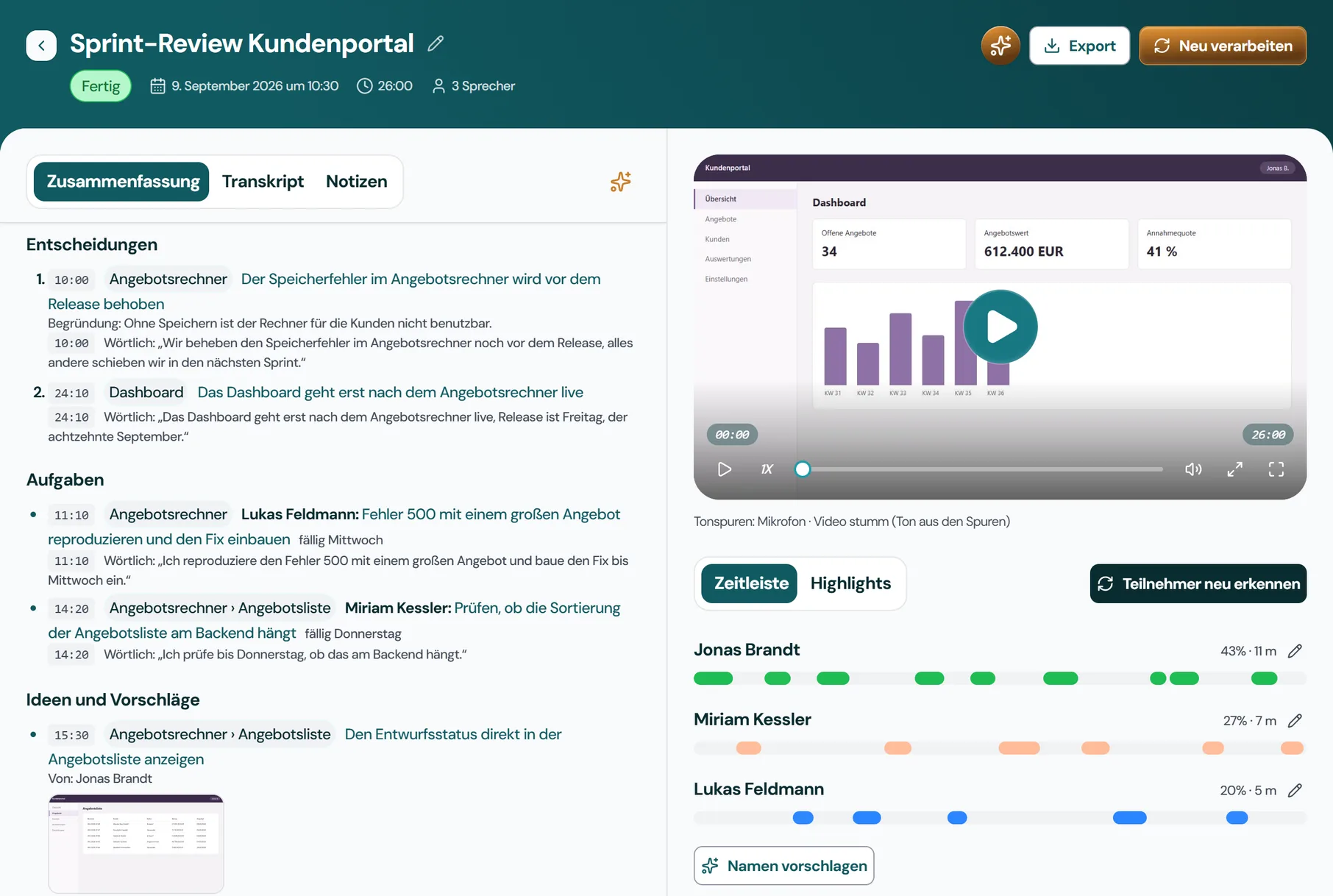
| Time | Topic | Label | Date |
|---|---|---|---|
| 24:20 | Dashboard | Customer portal release | Friday, 18 September |
 Microsoft Teams
 Google Meet
 Zoom
Zoom Webex
WebexJexity Meet records microphone and system audio directly on your machine. It needs no integration, no plugin and no bot. In-person meetings can be recorded too.
A complete minutes tool with AI capabilities that run on your machine by default.
From recording to finished minutes in three steps, without changing how you work.
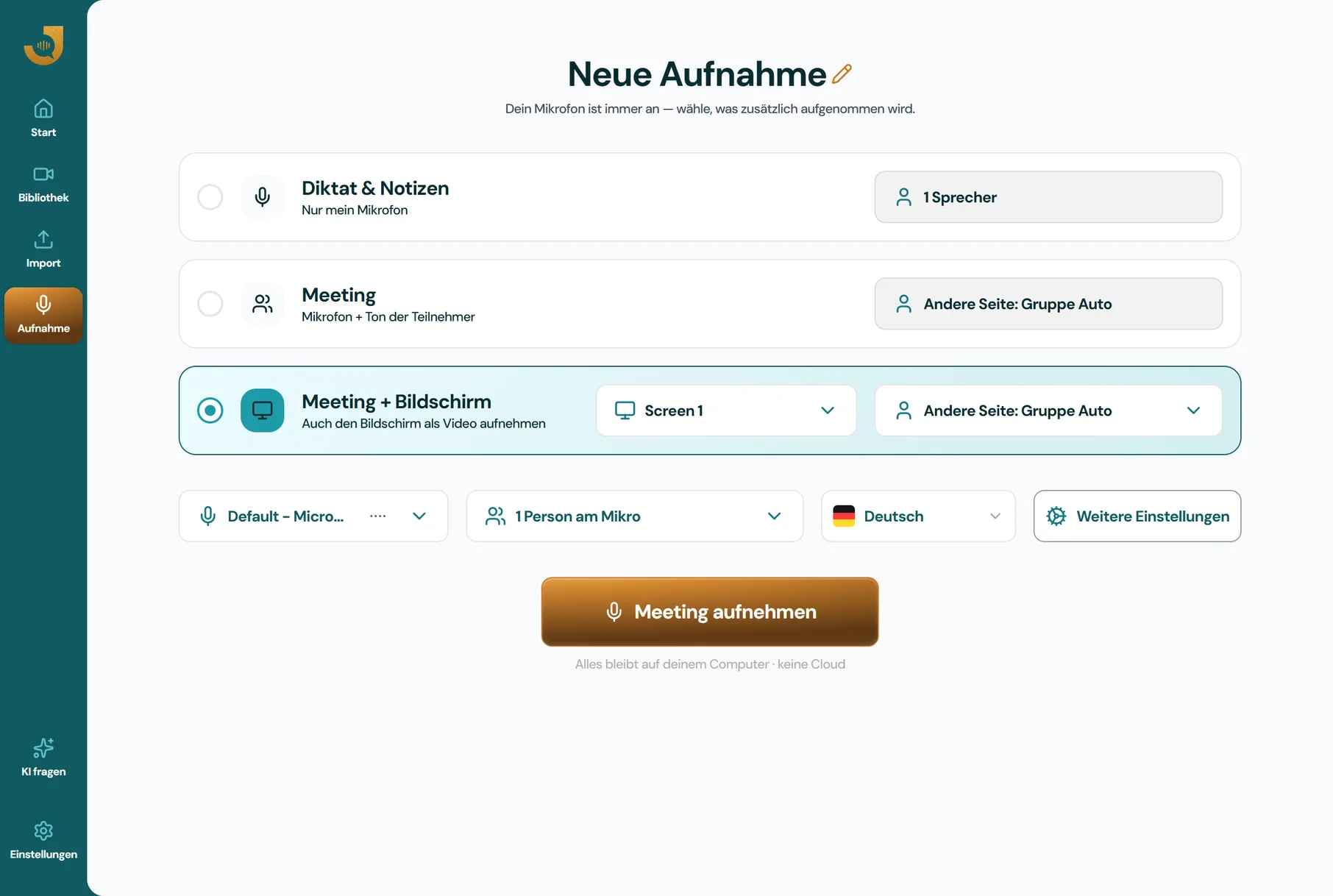
One click starts the recording, in the meeting tool of your choice or in the meeting room. Jexity Meet records microphone, system audio and, if you want, the screen directly on your machine. Echo cancellation keeps the recording clear, even over speakers.
Wherever meeting content must not end up on someone else's servers, local processing keeps it in-house.
Client conversations are covered by professional secrecy, which makes cloud processing a problem. With Jexity Meet the content stays on the firm's computer while file notes and minutes are still produced automatically.
Client internals, figures, strategies: much of it is protected by NDAs. After every call a clean results record for your client is produced. By default, their internals stay on your machine.
Personnel conversations and committee meetings are highly sensitive. Local processing without cloud transfer makes the alignment with works council and data protection officer easier, and it protects everyone involved.
Strategy, personnel decisions, acquisitions: the most important meetings are the ones whose content must stay inside. Jexity Meet documents them without any third party listening in or storing anything.
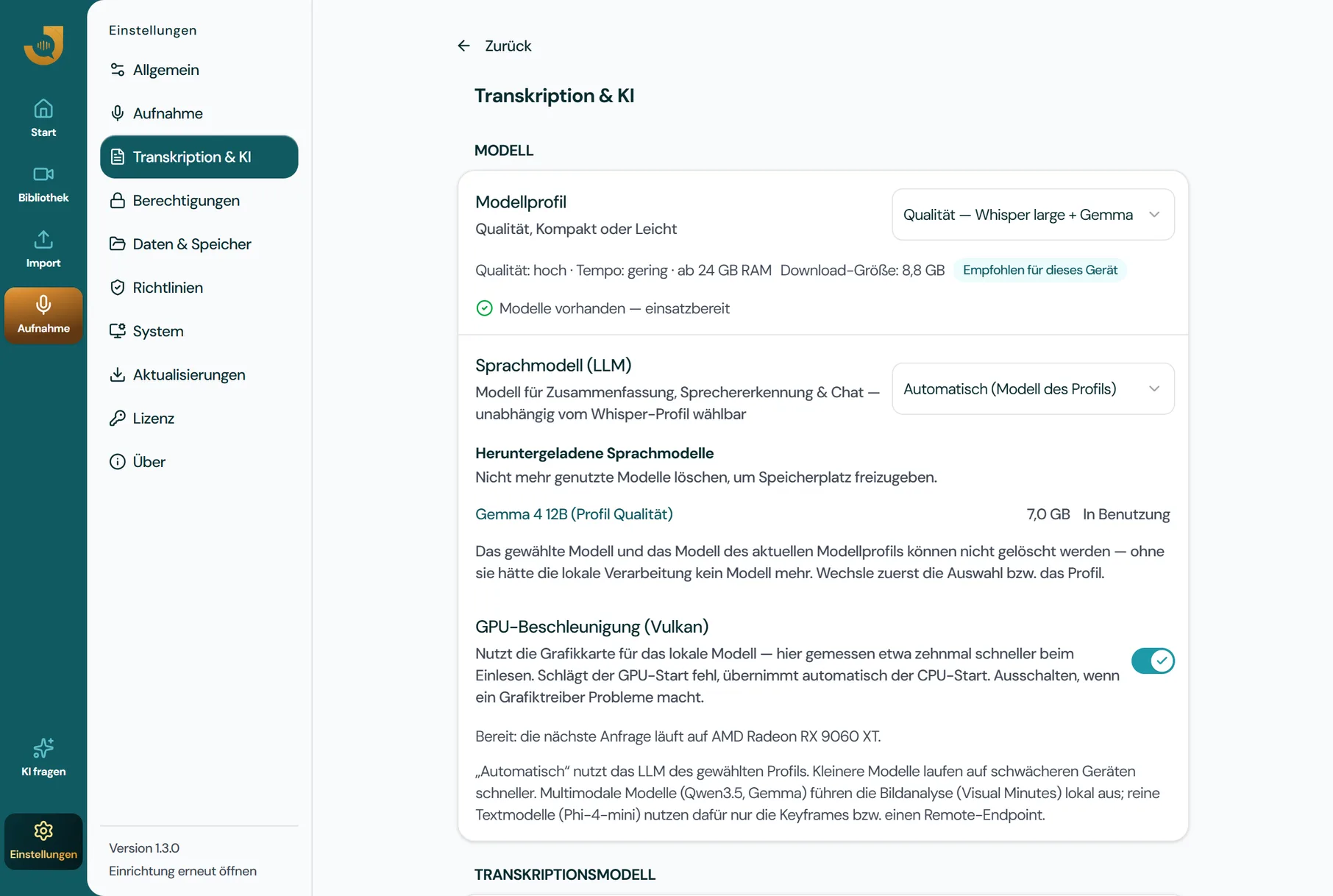
By default, Jexity Meet processes everything on your machine: recording, transcription, speaker separation and summarization. Your meeting content stays on the device. Cloud models are an option that stays off until you turn it on explicitly, and your IT can block it by policy.
Transparency: individual AI steps can optionally be delegated to cloud models (e.g. with your own API key). This feature is disabled by default, must be enabled explicitly, and is not required for any core feature.
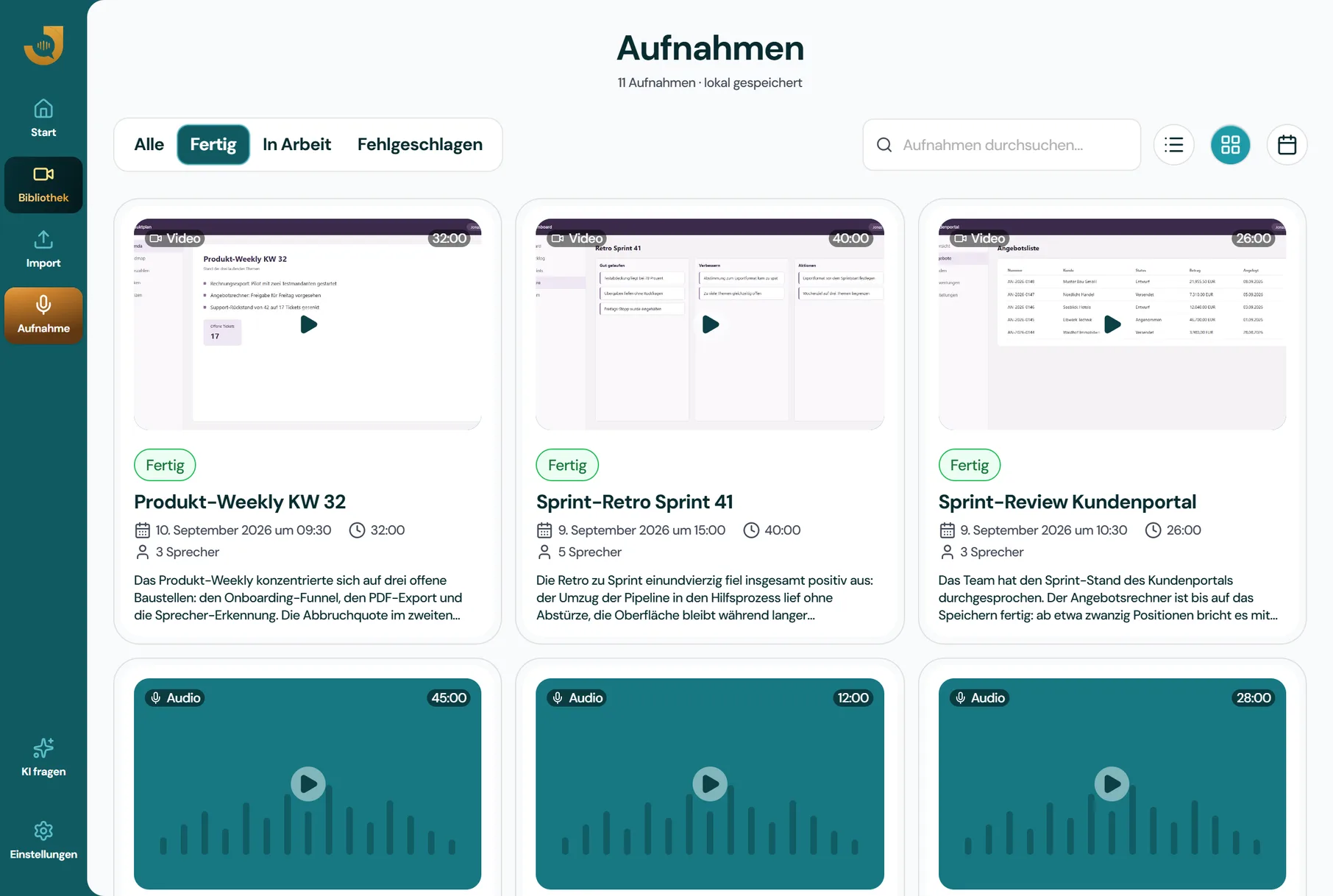
See the app as it runs on your machine: recordings, transcript and minutes in one place.
There are good tools in every category. The question is which trade-offs you're willing to make.
Per named user, from one user, cancel at the end of the term. All prices net, plus statutory VAT. Offered to companies, self-employed professionals and organisations only.
Recording, transcript, speaker separation and topic minutes. The entry point for one person.
€14per user per month
€168 per user per year · 1 device per user
Try free for 14 daysRequest a licenceIncluded:
All templates, chat, translation, visual evidence and integrations. For everyone who works with minutes.
€21per user per month
€252 per user per year · 3 devices per user
Try free for 14 daysRequest a licenceIncluded:
Pro plus cloud models, five devices and priority support.
€49per user per month
€588 per user per year · 5 devices per user
Try free for 14 daysRequest a licenceIncluded:
Managed administration, MDM, offline activation, consolidated invoicing and rollout, by agreement.
Individual quote
Everything in Max, plus:
Request a callIncluded:
The trial starts the first time you launch the app, with no account and no credit card, with the full Max scope.
Everything management, IT and data protection officers want to know before rolling it out.
All of them. Jexity Meet records microphone and system audio directly on your machine. It needs no integration with Teams, Meet, Zoom or Webex and no bot in the meeting. In-person meetings and calls via your computer can be recorded too.
Transcription understands German and English, even mixed within the same meeting, section by section. Minutes and the user interface are available in German and English. Transcripts can also be translated.
A Mac with Apple silicon (macOS 14 or newer) or a Windows computer with a 64-bit processor. The AI models download on first launch and then run locally. With 24 GB of RAM the quality profile runs, with 12 to 24 GB a compact one and below that a light profile.
By default, no: recording, transcription, speaker separation and minutes run fully locally and work offline too. Only the licence activation and the update check contact our server. No meeting content is transmitted.
If you want, individual AI steps can be delegated to cloud models, for instance summarization with your own API key. This feature is disabled by default, must be enabled explicitly, and is not required for any core feature.
Yes, but only with the participants' consent. In Germany you generally need it (§ 201 StGB). Local processing greatly simplifies the data protection assessment. Documentation for data protection officers and works councils is available on request. This does not replace legal advice.
Yes. Recording, transcription, speaker separation and minutes generation work entirely without an internet connection. That holds on the train and in environments with strict network isolation.
Yes, both platforms are supported as equals. Windows has the same priority for us as macOS. Many local alternatives are Mac-only.
Via the built-in updater: new versions are downloaded and installed on request. Your data remains untouched on your device.
